Read our in-depth SJinn AI review covering features, pricing, models, and real use cases to see if this AI agent fits your workflow.
If you have spent any time bouncing between five different AI apps just to finish one short video, you already know the real pain point in content creation right now: not the lack of tools, but the lack of one tool that ties them together. That is exactly the gap SJinn is trying to close, and it is why this SJinn AI review exists — to walk through what the platform actually does, how it performs in daily use, and whether it deserves a spot in your creative stack.
I have spent time digging into the platform’s workspace, its pricing structure, and the model lineup it gives you access to, and I want to share an honest, practical breakdown rather than a generic feature list. Whether you are a solo content creator, a small marketing team, or an agency juggling client deliverables, this SJinn AI review will help you decide if it is the right investment for 2026.
SJinn AI review: what exactly is SJinn?
Before diving deeper into this SJinn AI review, let’s clarify what the tool actually is. SJinn positions itself as a professional AI agent built for image, video, audio, and 3D content creation. Instead of forcing you to learn a complicated node-based interface or jump between separate apps for each media type, SJinn brings everything into a single workspace where you simply describe what you want, and the agent handles the execution.
The core idea is simple: you type a prompt describing your creative vision, and SJinn interprets that request, selects the right underlying model, and produces the output — whether that is a product photo, a cinematic video clip, a voiceover, or even a 3D asset. This “describe and generate” approach is what separates SJinn from traditional creative software, and it is the foundation for everything else covered in this SJinn AI review.
Who is SJinn built for?
Based on how the platform is structured, SJinn seems to target three main groups:
- Solo creators and freelancers who need fast turnaround on social content without hiring a video editor or designer.
- Marketing teams that need consistent, on-brand visuals and short-form video at scale.
- Agencies and enterprise teams that want a customizable agent workflow with team management features baked in.
If you fall into any of these categories, the rest of this SJinn AI review should help you map the platform’s strengths directly onto your use case.
SJinn AI review: how the workspace and agent modes work
One of the most important things to understand in this SJinn AI review is how the actual workspace is organized, because the experience changes quite a bit depending on which mode you choose.
Agent Mode
Agent Mode is the headline feature, and it is the closest thing to having a creative assistant on call. You describe your vision in plain language — for example, “create a 15-second product showcase video with upbeat background music and subtitles” — and the agent plans out the steps needed to fulfill that request, selecting models, sequencing tasks, and assembling the final output. For anyone who finds prompt engineering intimidating, this conversational structure is a meaningful usability win.
Tool Mode
Tool Mode strips away the agent layer and gives you direct access to specific generation tools, such as image generators, video generators, or watermark removers. This is useful when you already know exactly which model or function you need and do not want the agent making decisions on your behalf. It is essentially the “manual” counterpart to Agent Mode’s “automatic” approach.
Canvas Mode
Canvas Mode is built for more visual, iterative work, where you might want to combine multiple generated assets, rearrange elements, or build a multi-shot sequence. If you are producing anything beyond a single static image or single video clip, this is the mode that gives you more creative control over composition.
Templates and trend prompts
SJinn also ships with a library of templates and trending prompt formats — things like character aging transformations, object-talk effects, or stylized “vlog” formats — which lower the barrier for people who are not naturally skilled at prompt writing. For marketers running social campaigns, these templates can save a meaningful amount of trial-and-error time.
SJinn AI review: the models powering content generation
A huge part of any honest SJinn AI review has to focus on what is actually happening under the hood, because SJinn is not a single proprietary model — it is an orchestration layer that gives you access to a wide range of leading generation models through one interface and one credit system.
Image generation models
On the image side, SJinn integrates models such as Nano Banana (including the Pro 2K variant), SJinn’s own image model, GPT Image, Flux Kontext, and Flux 2 Pro. This range matters because different models have different strengths — some are better at photorealism, others handle stylized or illustrative work more naturally, and having access to several inside one workspace means you are not locked into a single visual style.
Video generation models
Video is where SJinn’s model lineup gets particularly interesting. The platform supports Seedance 2.0 (a recently added and heavily promoted addition), Kling 1.6 and 2.1, Sora2 (including the Pro tier), Veo3 (both the Fast and standard versions), and Hailuo02. Having this many video models under one roof is genuinely useful, since video generation quality can vary a lot depending on the type of motion, camera work, or character consistency you need.
Audio, lip-sync, and 3D tools
Beyond visuals, SJinn extends into audio generation through ElevenLabs integration for voice and music generation tools for background scoring. It also offers image and video lip-sync tools, which are particularly relevant for anyone producing talking-character content, UGC-style ads, or multilingual dubbing. On the 3D side, an image-to-3D conversion tool rounds out the platform’s “create almost anything” positioning.
Upscaling and post-production utilities
SJinn also includes image and video upscaling tools, which matter a lot in practice — a generated clip that looks great at low resolution but loses sharpness when scaled up is a common frustration with AI video tools, so having upscaling built into the same credit system is a convenience worth highlighting in this SJinn AI review.
SJinn AI review: breaking down the pricing plans
Pricing is usually the deciding factor for most people reading a SJinn AI review, so let’s go through it plan by plan. SJinn uses a monthly or annual subscription model (with a notable 40% discount on annual billing at the time of writing), built around a credit system that gets consumed based on which model and output type you use.
Standard plan — around $12/month
The Standard plan includes 20,000 credits per month, watermark removal, unlimited use of Nano Banana in Tool Mode, and access to Seedance 2.0. This tier is a reasonable entry point for individual creators or small business owners who post regularly but do not need the heaviest, most premium models.
Pro plan — around $30/month
The Pro plan steps up to 60,000 credits per month and unlocks unlimited Tool Mode access to higher-tier models, including Nano Banana Pro (2K resolution), Seedream v4 and v4.5, and Flux 2 Pro, plus unlimited GPT Image 2 usage. For freelancers and small agencies producing client work regularly, this is likely the sweet spot, since it balances volume with access to the platform’s stronger models.
Ultra plan — around $60/month
The Ultra plan doubles the credit allowance to 120,000 per month while keeping the same unlimited Tool Mode model access as Pro. This tier makes sense for teams generating high volumes of content daily, where credit consumption from video generation (which is billed per second of output) adds up quickly.
Enterprise plan — around $720/month
At the top, the Enterprise plan provides 1,200,000 credits monthly, includes everything in Ultra, and adds a customized agent setup along with team management features for organizations managing multiple users and brand workflows. This plan is clearly built for larger marketing departments or agencies running multiple client accounts simultaneously.
Understanding the credit system
Because credits are the real currency here, it helps to know roughly what they buy. Based on SJinn’s published model pricing table, costs vary significantly: Nano-Banana generation runs around 50 credits, SJinn’s native image model is cheaper at roughly 30 credits, and image-to-video generation costs closer to 150 credits. Premium video models cost considerably more — Veo3 standard quality runs about 2,100 credits per generation, while Veo3 Fast is roughly 420 credits, and Sora2 Pro billing scales at 250 credits per second of footage.
This tiered pricing structure means your actual monthly cost depends heavily on which models you lean on. Anyone relying mostly on premium video models like Veo3 or Kling 2.1 will burn through credits much faster than someone primarily generating images with Nano-Banana or the native SJinn image model. This is one of the most important practical takeaways in this SJinn AI review: budget your plan choice around your dominant content type, not just your total output volume.
SJinn AI review: real-world use cases worth knowing about
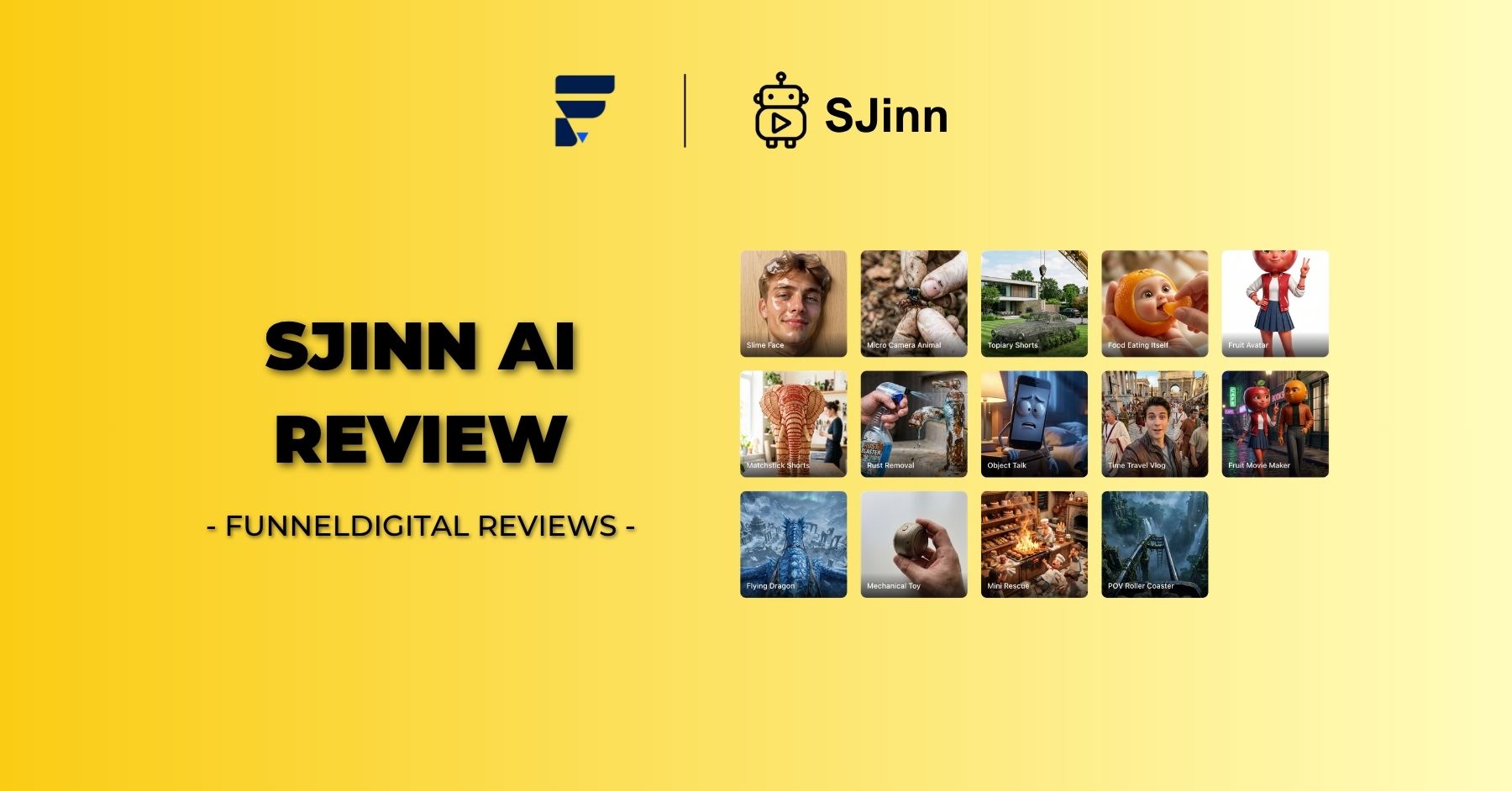
Looking through the platform’s user case gallery gives a clearer picture of what people are actually producing, which adds useful context to this SJinn AI review beyond the marketing copy.
Character and story-driven content
Several showcased examples involve character consistency across multiple scenes — things like multi-character 3D cartoon travel videos, character-aging transformation clips, and Pixar-style story videos. This suggests the platform’s video pipeline handles character continuity reasonably well, which has historically been one of the harder problems in AI video generation.
UGC-style and marketing content
There are also clear examples aimed at marketing use cases, including UGC-style video ads and lip-synced character speech, both of which are directly relevant if you are producing social ads or influencer-style promotional content for brand partners.
Music and narrative-sync content
Another recurring use case is music-synced storytelling, where visuals are timed to lyrics or a soundtrack. This points toward SJinn being a viable option for music promotion content, lyric videos, or branded storytelling pieces that need tight audio-visual synchronization.
Niche trend formats
The platform also leans into trend-driven formats like “object talk” videos and stylized transformation effects, which are popular on platforms like TikTok and Instagram Reels. If your content strategy depends on jumping on viral formats quickly, having ready-made templates for these trends inside the same tool you use for higher-effort content is a practical time-saver.
SJinn AI review: strengths worth highlighting
After going through the platform’s structure, pricing, and model access, a few clear strengths stand out in this SJinn AI review.
Breadth of model access in one place
Rather than subscribing separately to a video model provider, an image model provider, and a voice generation service, SJinn consolidates access to most of the major players — Veo3, Sora2, Kling, Nano Banana, ElevenLabs, and more — under a single credit pool. For anyone currently paying for three or four separate AI subscriptions, this alone could mean meaningful cost consolidation.
Flexibility across skill levels
The combination of Agent Mode (for hands-off, prompt-based creation), Tool Mode (for direct model access), and Canvas Mode (for more hands-on assembly) means the platform can serve both beginners who just want results and more advanced users who want granular control over the process.
API and MCP support
SJinn also offers API and MCP (Model Context Protocol) access, which matters if you are trying to build automated content pipelines. For workflows where you want to programmatically generate assets — for example, feeding product data into an automated pipeline that outputs ad creatives — this kind of developer access extends the platform well beyond manual, one-off use.
SJinn AI review: limitations to consider before subscribing
No SJinn AI review would be complete without an honest look at the trade-offs, because no platform is a perfect fit for everyone.
Credit consumption can scale quickly with premium video
Because premium video models are billed per second and can cost hundreds of credits for even short clips, teams that lean heavily on top-tier models like Veo3 or Sora2 Pro may find their monthly credit allowance disappears faster than expected. It is worth running a rough cost estimate based on your typical output length and preferred model before committing to a plan.
Learning curve for advanced workflows
While Agent Mode is approachable for beginners, getting consistently polished results — especially for character consistency across multiple scenes or precise brand-matching visuals — still benefits from prompt-writing experience. New users should expect a short adjustment period before output quality reliably matches their creative vision.
Reliance on third-party model availability
Since SJinn’s value proposition depends on integrating models like Veo3, Sora2, and Kling, any changes to those underlying providers’ availability, pricing, or licensing terms could affect what SJinn can offer going forward. This is a structural consideration for any aggregator-style platform, not a flaw unique to SJinn, but it is worth factoring into a long-term decision.
SJinn AI review: how it compares to using separate AI tools
A natural question that comes up in any SJinn AI review is whether it is genuinely better than just subscribing to individual tools directly — for instance, paying for Kling separately, ElevenLabs separately, and a standalone image generator separately.
The honest answer depends on your workflow complexity. If you only ever need one type of output, say, just AI voiceovers, a dedicated single-purpose tool might be more cost-efficient. But if your content calendar regularly mixes images, video, voice, and occasional 3D or lip-sync work, the overhead of managing multiple subscriptions, multiple interfaces, and multiple billing cycles adds friction that a unified platform like SJinn is specifically designed to remove.
For affiliate marketers, agencies, and content teams producing varied multimedia assets on a regular cadence, this consolidation tends to outweigh the marginal cost difference of any single best-in-class standalone tool.
SJinn AI review: tips to get the most value from your subscription
If you do decide to subscribe after reading this SJinn AI review, a few practical habits will help you stretch your credits further.
- Start with Tool Mode for routine tasks. Once you know which model produces your preferred style, using Tool Mode directly avoids any unnecessary credit overhead from agent planning steps.
- Reserve premium video models for hero content. Use cheaper image models or shorter video models for routine social posts, and save higher-cost models like Veo3 for flagship campaign assets.
- Batch similar requests. Planning a week’s worth of content in one session, using consistent prompts and templates, tends to produce more consistent branding than generating ad hoc.
- Use templates as a starting point, not a final product. Templates speed up ideation, but adjusting prompts to match your specific brand voice will noticeably improve output quality.
- Monitor your credit usage against your plan tier monthly. Since costs vary so much by model, tracking which models you actually use most will tell you if you should upgrade, downgrade, or simply shift your model mix.
SJinn AI review: final verdict
So, after all of this, does SJinn earn a recommendation? Based on the breadth of model access, the flexible mode structure, and the consolidated credit system, SJinn is a strong option for anyone producing multi-format content — especially video-heavy social and marketing assets — who wants to avoid juggling several separate AI subscriptions.
It is best suited for creators, marketing teams, and agencies that already have a regular content production cadence and want to simplify their toolchain rather than someone looking for a single, narrow-use tool. The pricing structure rewards users who understand their own content mix, since premium video generation can consume credits quickly, so it is worth starting with the Standard or Pro plan and adjusting based on real usage patterns rather than committing to the highest tier immediately.
If your work regularly spans images, video, voice, and occasional 3D content, this SJinn AI review suggests the platform is well worth a trial run — particularly while the current annual discount is active. As always with AI tooling, the best way to confirm fit is to test the workspace directly against your actual content needs before committing to a longer-term plan.
SJinn AI review: frequently asked questions
To wrap up this SJinn AI review, here are quick answers to the questions creators most often ask before signing up.
Is SJinn good for beginners with no design experience?
Yes. Agent Mode is built specifically so that someone with zero design or video editing background can describe an idea in plain English and get a usable result. The built-in templates and trend prompts also remove much of the guesswork around what to type, which makes the onboarding curve gentler than most professional creative software.
Does SJinn support team collaboration?
Team-level functionality is concentrated in the Enterprise plan, which includes dedicated team management tools and a customizable agent setup. Smaller teams on lower tiers can still share a single account, but dedicated multi-seat collaboration features are an Enterprise-tier benefit.
Can projects be kept private?
Based on the platform’s stated features, projects are treated as private workspace content tied to your account rather than published publicly by default, which matters for agencies handling unreleased client campaigns or sensitive brand assets.
What file types can the platform actually produce?
Across its model lineup, SJinn can output static images, short and long-form video clips, voiceover and music audio files, lip-synced talking-character video, and 3D assets converted from a 2D image. That range is precisely what makes it function as an all-in-one creative agent rather than a single-purpose generator.
Is there a free trial?
Pricing is structured around the four paid tiers — Standard, Pro, Ultra, and Enterprise — with the credit system determining how much output you can generate each month. Anyone considering a subscription should check the current pricing page directly, since promotional terms and any trial credits can change.
SJinn AI review: who should skip it
Fairness matters in any honest review, so it is worth being direct about who probably should not subscribe yet. If your content needs are extremely narrow — for example, you only ever need transcription, or you only ever need basic photo retouching — a dedicated single-purpose app will likely be cheaper and simpler than paying for a multi-model agent platform. Similarly, if your team already has deeply customized workflows built around a specific model’s API directly, switching to an aggregator layer adds a transition cost that may not pay off immediately.
On the other hand, if you recognize yourself in the earlier sections of this review — juggling multiple subscriptions, switching between apps mid-project, or struggling to keep visual style consistent across image and video — the case for trying SJinn becomes much stronger.
Read more: AdCreative AI Review